Tag: Product Photography Camera Settings

Product Photography on a Small Business Budget

Product Photography on a Small Business Budget

The standard of your brand is judged by the quality of the images you portray to the audience. Often misunderstood by many small business holders is that it will require an expensive setup for achieving an industry-standard photoshoot. But that’s not true. There are always alternatives to expensive equipment that could be utilized to achieve professional-looking product photoshoots. In addition to that photo editing techniques could be used to further enhance the images.

We have written this article as a guide to help small businesses achieve professional product photography on a budget. Hopefully this article will help you generate more sales for your business.

Low Budget Product Photography Setup

You could use a smartphone or a point & shoot camera, but buying a DSLR won’t add up much cost. You will be able to find decent DSLRs at very cheap prices. Smartphone cameras are great but the only reason you should avoid it is because of their controllability. Mobile cameras are very limited in terms of how you can take photos whereas a professional camera will allow you to shoot completely in manual.

Select a Proper Camera

Choose either a DSLR or a Mirrorless. The functionality of both are the same the difference is in its build. If you are getting a mirrorless, purchase extra batteries with it. The main benefit of these cameras is that they are more compact than DSLR.

Lens for Product Photography

To save more money you could definitely use the kit lenses provided to you while purchasing the camera. It will take decent shots. But to be more professional try buying separate lenses.
Telephoto Zoom lenses and Prime lenses are a popular choice for product photography. Avoid using a wide-angle lens it can distort the shape of your product. A wide-angle lens is suitable for something like landscape or wildlife photography.

Invest on a Tripod

Tripods are something beginners tend to avoid but professionals recommend to use. Tripods can be found at very cheap prices. It won’t add much to your cost but will produce really outstanding value to the photoshoot.

Instead of manually adjusting the height of the camera angle by using a tripod you can set a fixed height and shooting angle. This ensures visual consistency throughout the shoot. The camera also tends to shake if you are holding it in your hands. A tripod will ensure that the camera stays steady and avoid any kind of blurriness from the photo.

White Background for Product Photography

White backgrounds are an industry-standard option for product photography. And there are a lot of reasons for it. White background creates consistency. It helps to put the product into focus and if done properly can also help to promote brand awareness.

Use lightbox

You can either purchase a lightbox from sites like Amazon or make one yourself. Lightboxes are very cheap, so instead of making it, buying one will be more appropriate. It will be stable and properly built. But if you are into DIY then you can take a cardboard box and cut off three sides leaving about a 1-inch border. Then use white paper for achieving proper white background.

Paper or Cloth Sweep

Using a paper or cloth sweep will be the cheapest option. With the help of some editing along with it, you can achieve results that look exactly the same as if you’ve done in a studio.

You can place a table against a wall and tape the sweep on the wall. Make sure the sweep falls seamlessly, there shouldn’t be any creases, otherwise, it would show up in the photo.
Lighting Setup for Product Photography

Photos won’t look professional if the lighting is not even. Your prime focus should be to make sure that the lights are evenly lit across the product. The benefit of this is that it captures the accurate colors of the product.

Types of Lighting

There are two main types of lighting. That is Artificial Lighting and Natural lighting. If you intend to sell products on sites like Amazon then avoid natural lighting. You can definitely make use of natural light, but the problem is that you can’t control its flow. There will be uneven shades of light and shadow. It also tends to change the colors. So using artificial lights will be preferable.

Choosing the proper light setup

The two popular lighting systems are continuous lighting and studio strobe lighting. It is best to use continuous lighting if you are new to photography, whereas, for professionals, a studio strobe might be a good choice.

The learning curve for continuous lighting is very simple. As its name suggests, it illuminates a consistent continuous light into the frame. So, photographers can visualize exactly how the output will be. Lights can be exactly adjusted to output the desired level of light intensity.

The three major types of continuous lights are fluorescent, tungsten and LED. Fluorescent bulbs do not overheat so these are easily found in studio lighting setups.

In general, studio strobes are mostly used by professionals, due to its complexity of use. And it is also quite expensive than continuous lighting. So for beginners it is recommended to use continuous lighting setups.

Getting inspiration from others

Looking at other people’s work can possibly give you interesting ideas that you might never have thought of before.

Getting inspiration is very easy. Just look for your topic online and you will be greeted with a plethora of useful ideas to try out. If you can, it would be best to talk to someone who is already in this profession. Try to learn a few useful tips and get suggestions that would be beneficial for you.

Editing your photos

Editing is the last and final step before finally using photos commercially. Doesn’t matter how carefully the photo is taken, it won’t be perfect. You will need at least some sort of editing to make your picture look perfect.

Start off by adjusting the exposure and distortion of the picture. Then depending on the complexity of the image more adjustments might be required. Most probably you will need a white background if you want to sell your products on sites like Amazon. To save costs most small businesses outsource their photos. It saves both time and money that would be needed to manage and hire an in-house design team. We offer background removal service you can get bulk service packages at a cheap price.

Conclusion

Product photography doesn’t need to be expensive. It used to be the case that you would require expensive cameras and set up for doing professional photography. But now, thanks to the rising demand, the prices have gone down a lot. And always remember to plan before the shoot regarding the management and equipment setup to avoid any sort of inconvenience. But it will take time and practice to expertise in product photography.
Best Camera for Product Photography In 2025

Best Camera for Product Photography In 2025

Canon, Nikon, Sony, Fujifilm These are the names most often heard when talked about cameras. Being a renowned photo editing company and a guide for photography . We often get asked what equipment setup makes for an appropriate photography studio for beginners and for professionals. More commonly we are asked about the camera that photographers need.

We have already written an article on the camera equipment. So you can check it out. But in this article we will be talking about the cameras that you might want to purchase and which one would be better in terms of the price, performance and quality. We understand that everyone has their own preferences. Some may like Canon or Fujifilm and some might prefer another brand. Therefore to make this compatible with a wider array of audience . We will be reviewing cameras from different brands at different price ranges. The selection will be based on choosing cameras for product photography but these cameras are appropriate for any type of photography in general.

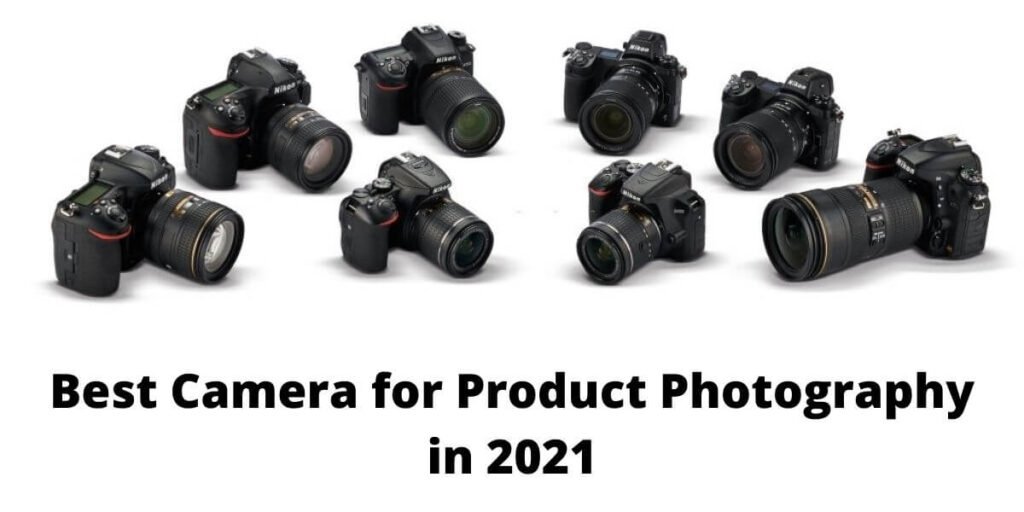
Best Camera for Product Photography in 2021

What to consider before making a camera purchase?

Before deciding on that high-tech camera that you have always wanted to get hands-on first know if it is worth it. Product photography is fun but at the same time is also quite versatile. Various guidelines are maintained for each type of product photography. Let’s say, for example, you want to host your photos on sites like Amazon, eBay or Alibaba even point and shoot cameras will do the job. These sites do not need any extra high-resolution images, in fact images are compressed down to lower quality for better speed optimization.

However for something more demanding such as shooting images for print you will need a camera with a fairly high-resolution image output capability. Or lets say you are photographing for a billboard ad. Due to the size if the images are not really high-quality the final output will come out crappy. Therefore understand what you will be doing with the camera and make your decision.

What about using smartphone cameras?

Most Smartphones you can get your reach on in 2021 are respectably impressive. The newer models of the iPhone and Google Pixels can take outstanding images. But these come with various notable limitations. Firstly, these are mostly automatic. Only a few allow for a certain level of modification and certain software allows for more manual controls. Still, these can’t by any means compete with a dedicated camera setup.

More importantly, you can’t switch lenses on a smartphone. Some do offer add-on lenses but aren’t even that great. With a dedicated digital camera you will be able to gain full manual control over how your images look.

If the budget is really a serious factor then going with a point and shoot might be a better option. These do offer some level of control. But still are out of the competition. Most don’t offer a swappable lens feature.

Choose the lens wisely

Although this article is about cameras the lens is an equally important part that shouldn’t go unnoticed. Doesn’t matter how great your camera is if the lens is cheap and low quality the images will also be the same.

Beginner’s Camera Selection

If you are just starting out with product photography or maybe photography in general these are the cameras you should choose. You would not need anything substantially powerful.

Nikon D3500

Starting at just $500 the Nikon D3500 is a major win for any beginner. Its predecessor the D3400 was popular in itself and didn’t take much away from the D3500. In fact this latest version updated to the latest APS-C sensor and also implemented further battery life enhancement. A single charge can get you over 1500 frames without issue. Because of the popularity there will be no trouble finding lenses and other add-ons for this camera. Although doesn’t offer 4k recording capability it should not be a deal-breaker if you are doing just photography. One thing that might bother some is that this DSLR camera doesn’t offer touch screen functionality. Otherwise this is an excellent choice for most beginners.

Sony Alpha A6000

The Sony Alpha A6000 is a bit more expensive at just $650 but is an excellent pick considering it is a Mirrorless. The digital viewfinder in some lower budget Mirrorless is fairly laggy . But the A6000’s viewfinder is very responsive and more impressively it uses an OLED panel for optimal color accuracy. You will get an instantaneous view as if it was from a traditional DSLR. 

The built-in Wi-Fi is a blessing. You can immediately send your files OTA without worrying about losing any valuable data due to SD card issues. The ISO can be increased from the usual point of 100 to a staggering level of 25600. You would most likely don’t need that much but is definitely nice to have. Overall, this is another good camera we recommend for any beginner.

Cameras for Professionals

When you get more familiarity with product photography you will need to make adjustments with the gears you use. The camera is the first thing photographers replace. These listings below are some of the most popular ones recommended by professionals.

Canon EOS 5DS

The Canon EOS 5DS is amongst the most popular DSLR you can find in the market right now. It is definitely pricy but packs more features compared to some of its counterparts. Starting at $3000 this camera is not for everyone. The 50.6 Megapixels combined with the sophisticated full-frame CMOS sensor helps to achieve perfect realism and stunning clear image.

It comes with its advanced anti-flicker feature which is able to properly maintain exposure under cycling light conditions. This feature will detect the frequency of light exposure and captures images at the peak brightness. This is extremely useful for professional studio photography. The user interface is also very intuitive. Users can very quickly and easily access the settings. Even beginners will find the navigation easy due to proper labeling and placement of features. This camera offers USB 3.0 for fast data transfer on PCs and printers. There’s also the wireless capability that users can make use of.

Fujifilm GFX 100

Medium format cameras! These are the cameras used by professionals for commercial use. Product photography may also include product videography. And medium formats are used for exactly that. The Fujifilm GFX 100 is one of those untraditional cameras that you only get your hands-on when you reach a certain professional level.

Unlike how these medium formats usually look this camera is just slightly bigger than a DSLR. This camera has an unbeatable image quality output and can easily knock out a flagship DLSR or a mirrorless. The body alone will cost you $10,000. It has a 102Mp image sensor with 4 image-processing engine for outputting optimal 16-bit images. The body is made of magnesium alloy which makes it light and easily carryable. Definitely, it can take some studio quality images and videos with its 4k/30p motion capture. Assume you are doing product videography for a car company, then the GFX 100 is what you take along.

Hasselblad H6D-400C

With a price tag of $48,000 the Hasselblad H6D-400C is the most expensive medium format camera on this list and certainly amongst the most priced DSLR camera you can buy right now. It has a 100MP 54.4×40.0mm CMOS sensor with the ISO ranging from as low as 64 to 12800, plus a 15-Stop dynamic range.

You can make an entire Hollywood film using this camera. You will need huge storage space for using the H6D-400C. It will easily fill up gigabytes of spaces in a matter of minutes. This camera can record UHD 4k at 30fps and the images are saved in Hasselblad Raw Format. It also comes with its support for the mobile app for wireless connectivity. More information about this camera can be found online.

Conclusion

Don’t rush into buying the best that’s out there. You might think investing in an expensive camera will be worth it in the long run. But higher-end cameras come with more complicated features that might get anyone overwhelmed quickly. Therefore starting with a beginner-friendly setup is always recommended. Most cheap cameras come with semi-automated featured geared towards new users. Make use of those and gradually move towards the manual mode. The most important thing to takeaway is that no matter what camera you choose your skills will define the image quality. So have patience and try to learn effectively.

Product Photography Camera Settings

Product Photography Camera Settings

Understanding how your camera works is the most important step in mastering the art of any genre of photography. Cameras offer various settings to make it favorable for all levels of people to be able to operate it fairly easily. But those settings might not be able to get you the exact quality of the image that you are looking for. This is why it is important to understand the use of manual mode. Also, judging certain scenarios, having manual mode might result in losing the perfect shot due to the setup time. So, knowing how to use each setting and for what purpose is really important.

To help you understand the use of your camera setting properly, we have written this article in a very easily digestible manner. We will be focusing more on the product photography side, but this article is suitable for anyone wanting to know the use of the camera modes and the setting it offers.

What camera do you need?

Obviously, to do professional photography, you will need a professional camera. Don’t think using a smartphone camera with high-end software will be sufficient. These won’t help you properly understand how an actual camera works and won’t even give you the desired output. Also, avoid point and shoot cameras, as these are mostly suitable for only personal use.

Regarding professional cameras, you can either choose a DSLR or a Mirrorless. Both do the same thing. The only difference is in how these are built. DSLR has been around for a long while and is a very trusted system and Mirrorless is a fairly new invention, but still, also very reliable.

ISO Settings: Keep it low

ISO is the easiest to understand out of the other two exposure triangle components. The purpose of ISO is to increase the lights of the photo.

ISO doesn’t have any physical movement in the camera body, instead, it is just a software setting that you increase or decrease to adjust the lights. This is primarily used in darker environments. During product photoshoots in a studio room, not always the lights can illuminate at the appropriate amount you need. So, in such cases increasing the ISO slightly can make a drastic difference to the image lighting.

Although, it might seem using the ISO is great, but it has its downsides. ISO is increased digitally, so increasing it will also add digital noise/grains in the photo. It is always recommended to increase the ISO level slightly; making any dramatic increase will add a dramatic amount of grains that will just ruin your photo.

Increasing the ISO should be considered as the last resort. First, try to change other settings of the camera to make it work, and finally, if you can’t get the desired lights, then use the ISO.

Aperture: Low = shallower depth of field

Aperture settings will play a major role in product photography. Depending on what type of product photography you are going to shoot, you will need to adjust the aperture based on that.

The aperture controls the depth of field for any photo. Meaning it will determine the amount of blurriness that occurs in the photo. The measurement of the aperture is counted as F-stops.

The lower the number of the F-stop(f/1.2-f/1.4) will be, the shallower the depth of field is and the more lights will pass into the lens. If the F-stop(f/11-f/22) number is set to a larger number then the depth of field will be high and a low amount of lights will pass into the lens.

For example, if you are doing product photography for platforms like Amazon, then the product needs to be in clear focus. No parts can be blurred. In such cases you will need your f-stop number to be very high, maybe something between f/11 to f/22. Keep in mind that by doing so, less light will get into the camera frame, and will make the image darker. To compensate for that, you will need to adjust the shutter speed and the ISO.

For lifestyle product photography or maybe portrait photography, having more blurriness by keeping the subject in focus might be the desired output. For that, you will need to decrease the aperture to maybe f/1.2 to f/2.4. Like I’ve mentioned before, a lower-numbered f-stop will introduce more blurriness and also add more lights into the camera frame.

Shutter Speed: High = Sharper image

After ISO and Aperture, the Shutter Speed is the third and final element of the exposure triangle. The sharpness of the image highly depends on the shutter speed of the camera.

Shutter Speed is basically the speed at which the camera shutter opens and closes. In order to freeze a subject, you will need to increase the shutter speed. But the issue with increasing is that it will let in fewer lights to the frame, and to compensate for it you will need to increase the aperture.

During product photography, if the lights are appropriate, then you can decrease the shutter speed to add even more light without worrying too much about motion blur. The product won’t be moving, so unless your hands are shaking, getting a crisp clear image will be very easy.

Camera Mode – Aperture, Shutter, & Manual Mode

Now that you are familiar with the exposure triangle, it’s time that you know the modes your camera offers. Generally, cameras come with 4 default modes. These are Fully Automatic, Aperture Priority Mode, Shutter Priority Mode, and Manual mode.

Fully Automatic Mode

This mode is mostly geared towards beginners. You just turn on the camera and start shooting. The camera will automatically adjust the aperture and shutter speed. Using this mode while at the beginning stage of learning photography can be useful, but as you get more experienced, avoiding it in most cases would be recommended. Automatic mode limits the control over the quality of your image as it decides everything for you.

Aperture Priority Mode

Aperture priority mode is used when the lights are not very stable and in places where you need to adjust the depth of field. In this mode, you will be responsible for selecting the aperture and the camera will change the shutter speed and the ISO based on the outer environment.

Shutter Priority Mode

Shutter Priority Mode is extremely useful in places where there is too much motion involved. Places like weddings, where people are always on the move; this mode will ensure that everything is captured without any blurriness. In this mode, you will be responsible for adjusting the shutter speed and the camera will choose the rest.

Manual Mode

Manual Mode is where you are fully in control over how the final output will be. Anything that’s not possible with these semi-automatic modes, is possible using manual mode. You can precisely focus on a particular subject and adjust the depth of field. This manual mode will be useful in places where you can take some time in changing the settings of the camera and the scenario won’t be changing consistently, which might result in losing the shot.

Shooting in RAW

I can’t stress enough how important it is to shoot in RAW if you are doing photoshoots for professional needs. With a RAW image, you can bring back the original colors by slightly adjusting the lightings, which won’t be possible if it was shot in JPEG. RAW files will definitely be larger in size, and that’s due to the camera storing the picture’s information. It even takes a bit more processing power but is definitely worth it.

Don’t Forget Post-Processing

This is the most important final step that you shouldn’t forget. No image is perfect, even if it is shot in perfectly lit conditions. There is always room for adjustments. Making even the slightest alteration can result in drastic changes in the outlook of the image. If you don’t know how to edit images, then consider outsourcing. This is a very inexpensive approach and will save you time that you can use to shoot more photos and earn even more money. You can also contact us. We provide all types of photo editing services.

Conclusion

The key to becoming a good photographer is understanding your camera properly. You also need consistent practice and need to put more focus on taking better pictures than the previous ones. Know the modes our camera comes with and learn when to use each. This will save you valuable time. Just because Manual mode gives you the best flexibility, doesn’t mean you will always have to use it. Other modes will become very necessary from time to time during your professional career.